Solutions
Tell us what’s broken.
There’s a screen for that.
Every JPOS terminal does one job well. Pick the problem you’re trying to fix, and see which screens solve it, how they work, and where they’re used.
WHAT ARE YOU TRYING TO FIX?
Long lines. Add ordering capacity without adding staff, and keep the line moving once orders are in.
Wrong orders. Let the customer check the order, then give the kitchen clear tickets and recipes.
Slow training. Put the recipe, the ingredient location, and the next step on screen.
Kitchen chaos. Every ticket on screen, every cook time on a timer, every handoff tracked.
Language barriers. The kitchen display shows tickets in the kitchen’s language while the counter works in its own.
Out-of-date menus. Menu screens linked to the POS update with every price change and sell-out.
Crowded counters. Show order progress on a screen and call orders over the music.
Flying blind. Live dashboards for the team and reports in your inbox for you.
Front of houseFirst one included · $20/mo each additional
Order Entry
Fast, touch-first ordering on any screen you own.
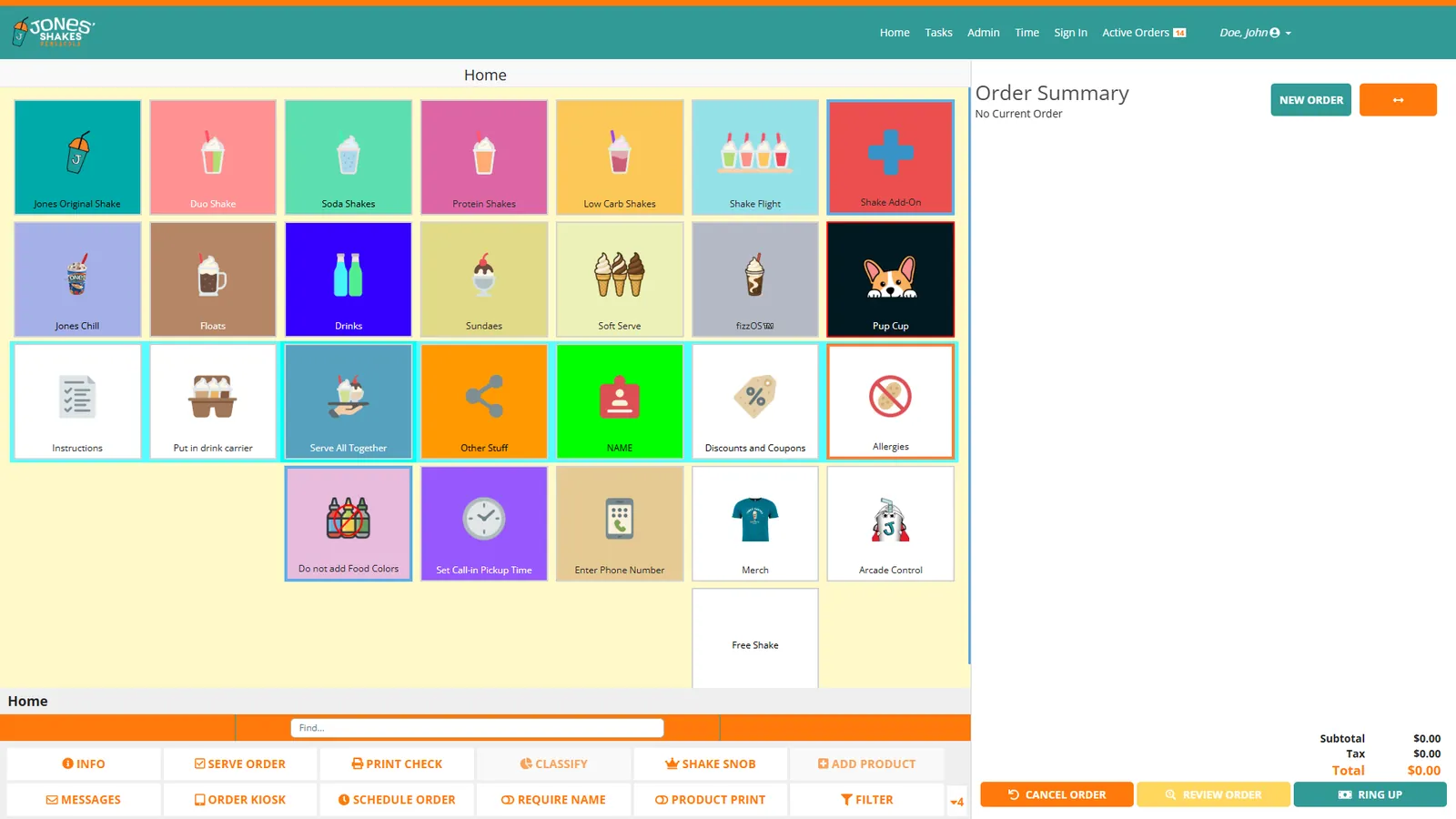 Home screen with category tiles
THE PROBLEM
A slow register is the line out the door. Clunky screens make every order take longer and every new hire take weeks to learn.
HOW IT WORKS
- ✓Touch-first layout built for speed at the counter or the table
- ✓Runs on a terminal, tablet, phone, or PC
- ✓Buttons and menus configured to match how you sell
- ✓Payments and loyalty built into checkout
WHERE IT EARNS ITS KEEP
Counter service
The summer-night rush
Ring orders as fast as the line moves, then send them straight to the kitchen.
Table service
Order at the table
Servers take orders on a tablet without walking back to a station.
Pop-ups & events
Add a register in minutes
Open a second station on a phone or laptop when a crowd shows up.
PAIRS WELL WITH
Kitchen$12/mo
Kitchen Display (Make Table)
Every ticket on screen the moment it is rung in.
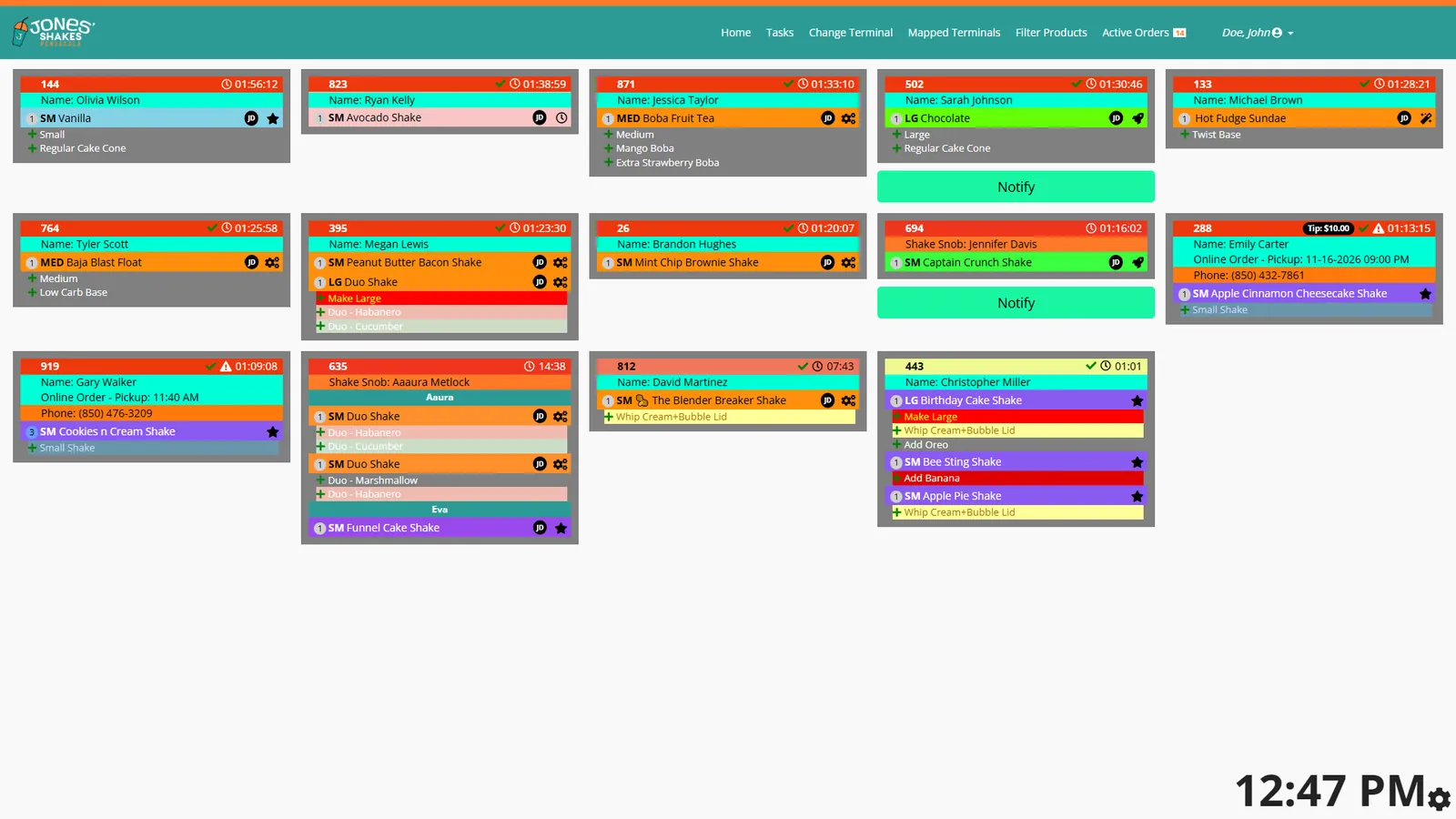 Live tickets with Notify when ready
THE PROBLEM
Paper tickets get lost, stuck, and misread. Nobody knows who is working on which order until a customer asks where it is.
HOW IT WORKS
- ✓Orders appear the instant they are placed, from every source
- ✓Step-by-step build guidance for each item
- ✓Shows who is working on what, for accountability
- ✓Optional: kitchen tickets in a different language than the counter uses
WHERE IT EARNS ITS KEEP
Bilingual kitchens
Spanish in back, English up front
Order takers ring in English while the kitchen reads every ticket in Spanish.
High-volume kitchens
Track every order
See every open ticket and its age at a glance during the busiest service.
Multi-station lines
Coordinate the make line
Each station sees its part of the order and when it is done.
PAIRS WELL WITH
Kitchen$15/mo
Instructions
Picture recipe cards at every station.
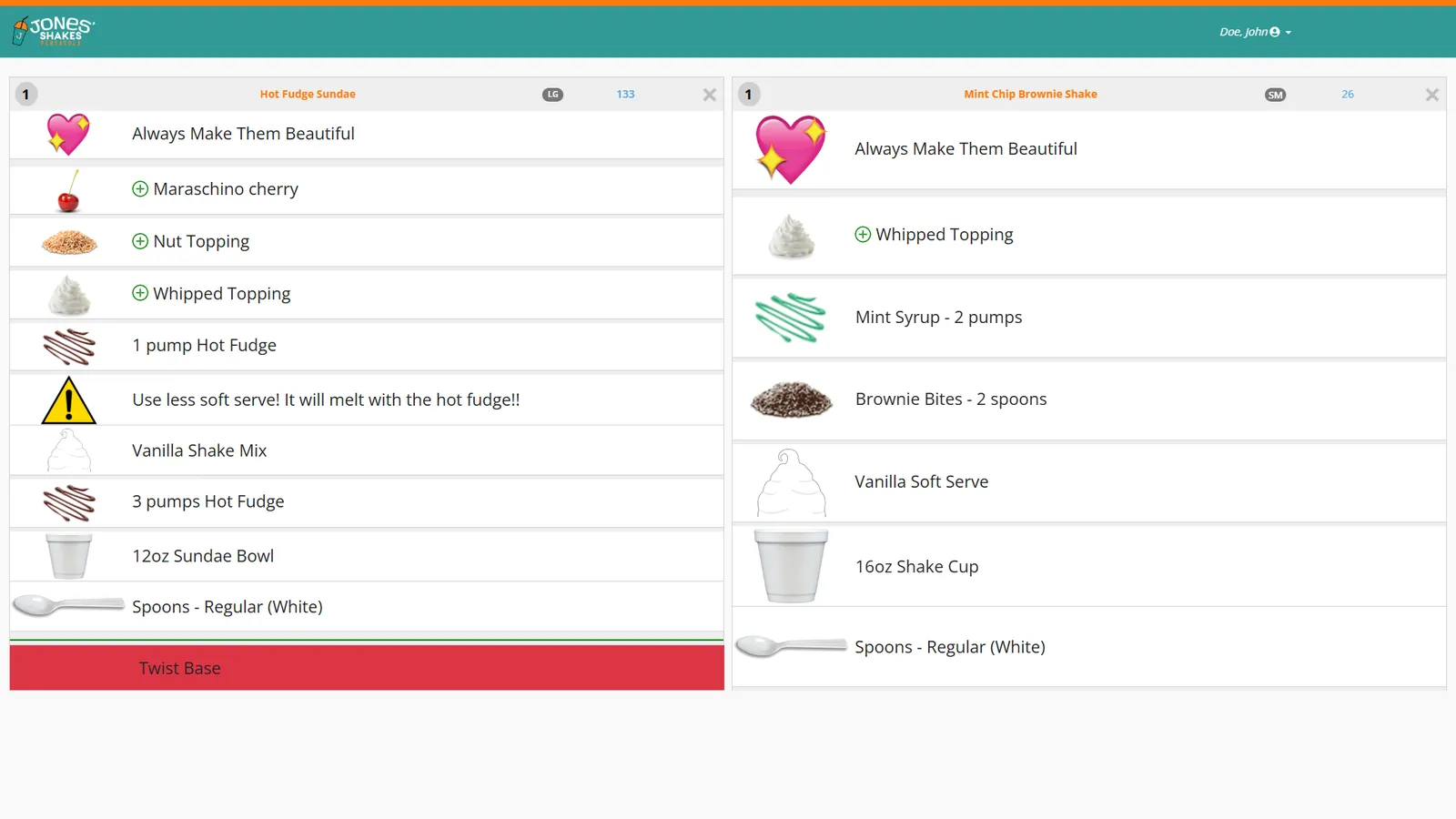 Picture build steps for the item being made
THE PROBLEM
Recipes live in someone’s head or a binder nobody opens. Every new hire makes the product a little differently.
HOW IT WORKS
- ✓Digital recipes shown in picture form
- ✓Appears for the item being made
- ✓Update a recipe once and every screen has it
WHERE IT EARNS ITS KEEP
New hires
Right on the first shift
A new employee follows the pictures and builds the item correctly without asking.
Menu changes
Roll out a new item
Add the recipe and every station shows it the same day.
Specialty items
Consistency on complex builds
Multi-step items come out the same no matter who makes them.
PAIRS WELL WITH
Kitchen$10/mo
Timer
Countdowns and alarms for every cook time.
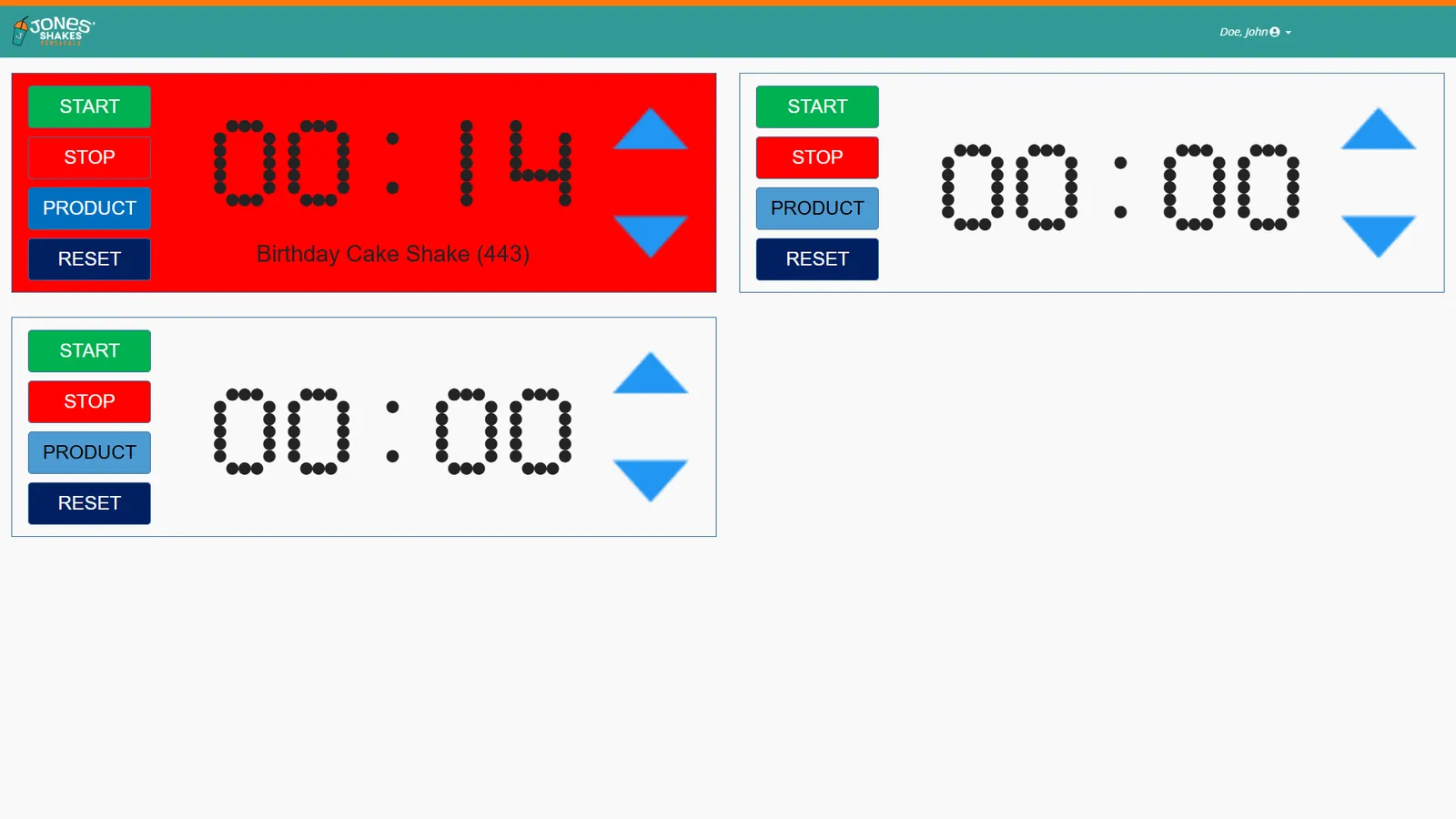 Timer running for an order item
THE PROBLEM
Overcooked baskets and forgotten ovens cost food and time. Kitchen timers on the wall don’t know which order they belong to.
HOW IT WORKS
- ✓Cook-time countdowns tied to the items being made
- ✓Alarms when time is up
- ✓Several timers running side by side
WHERE IT EARNS ITS KEEP
Fry stations
Time all the fryers
Every basket gets its own countdown, so nothing sits too long.
Pizza ovens
Pies on schedule
Keep a steady flow of pizzas coming out at the right time.
Baking
Batches without guesswork
Set bake times once and let the screen call them out.
PAIRS WELL WITH
Kitchen$12/mo · $4/mo each additional
Pick Screen
Shows what to grab and where it is.
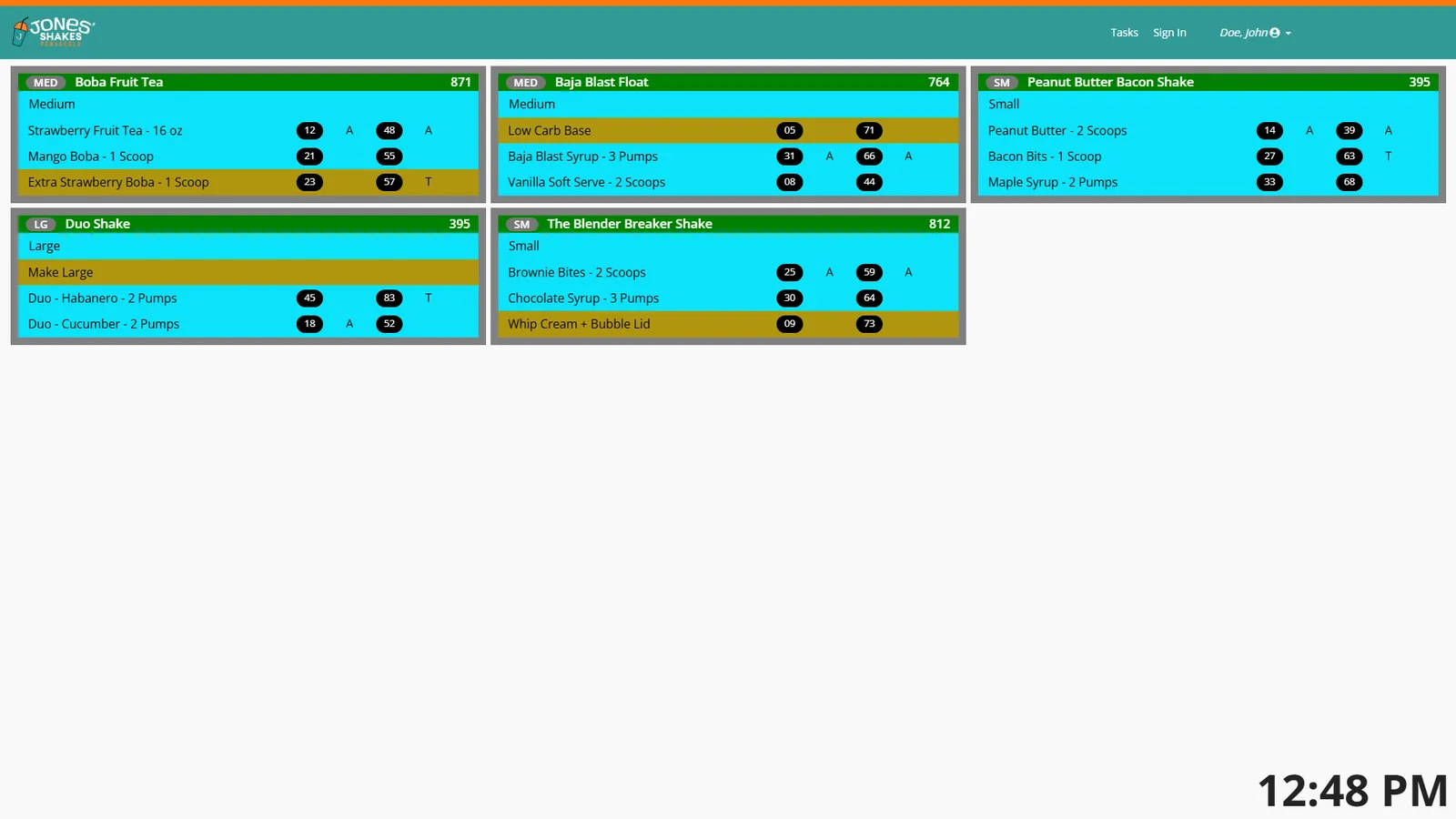 Live pick list with ingredient locations
THE PROBLEM
New staff waste time hunting through coolers and shelves, and grab the wrong product under pressure.
HOW IT WORKS
- ✓Lists the products each order needs
- ✓Shows the location of every ingredient
- ✓Includes recipe guidance for the item
WHERE IT EARNS ITS KEEP
Ice cream & dessert
Find the right flavor fast
Staff see which flavor and which freezer before they open the door.
Juice & smoothie bars
Grab-and-blend
Every ingredient for the drink, listed with where it lives.
Training
Learn the layout on day one
New staff don’t need a tour of the walk-in to work the line.
PAIRS WELL WITH
Kitchen$15/mo
Build Queue
Prep what you will sell, before you need it.
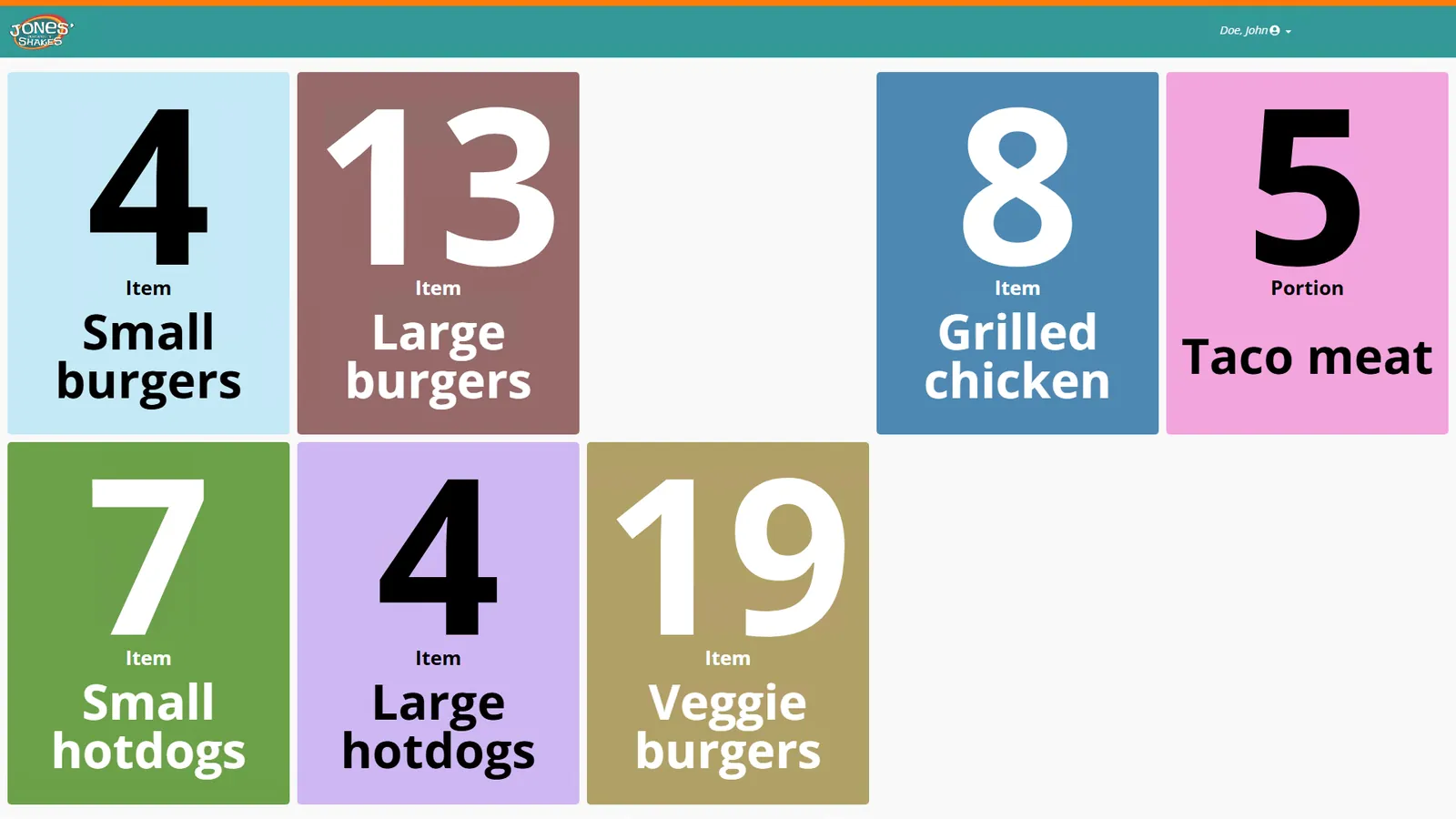 What to build next, by quantity
THE PROBLEM
Prep too little and the rush stalls. Prep too much and it goes in the trash.
HOW IT WORKS
- ✓Schedules prep based on demand
- ✓Shows what to build next, in order
- ✓Keeps popular items ready ahead of the rush
WHERE IT EARNS ITS KEEP
Quick service
Ready before the lunch rush
Popular items are built and waiting when the line forms.
Bakeries
Bake to demand
Make the right quantity of each item through the day.
Waste control
Less thrown away
Build to the demand you expect instead of guessing.
PAIRS WELL WITH
Front of house$5/mo
Serve Screen
Close the loop when food reaches the guest.
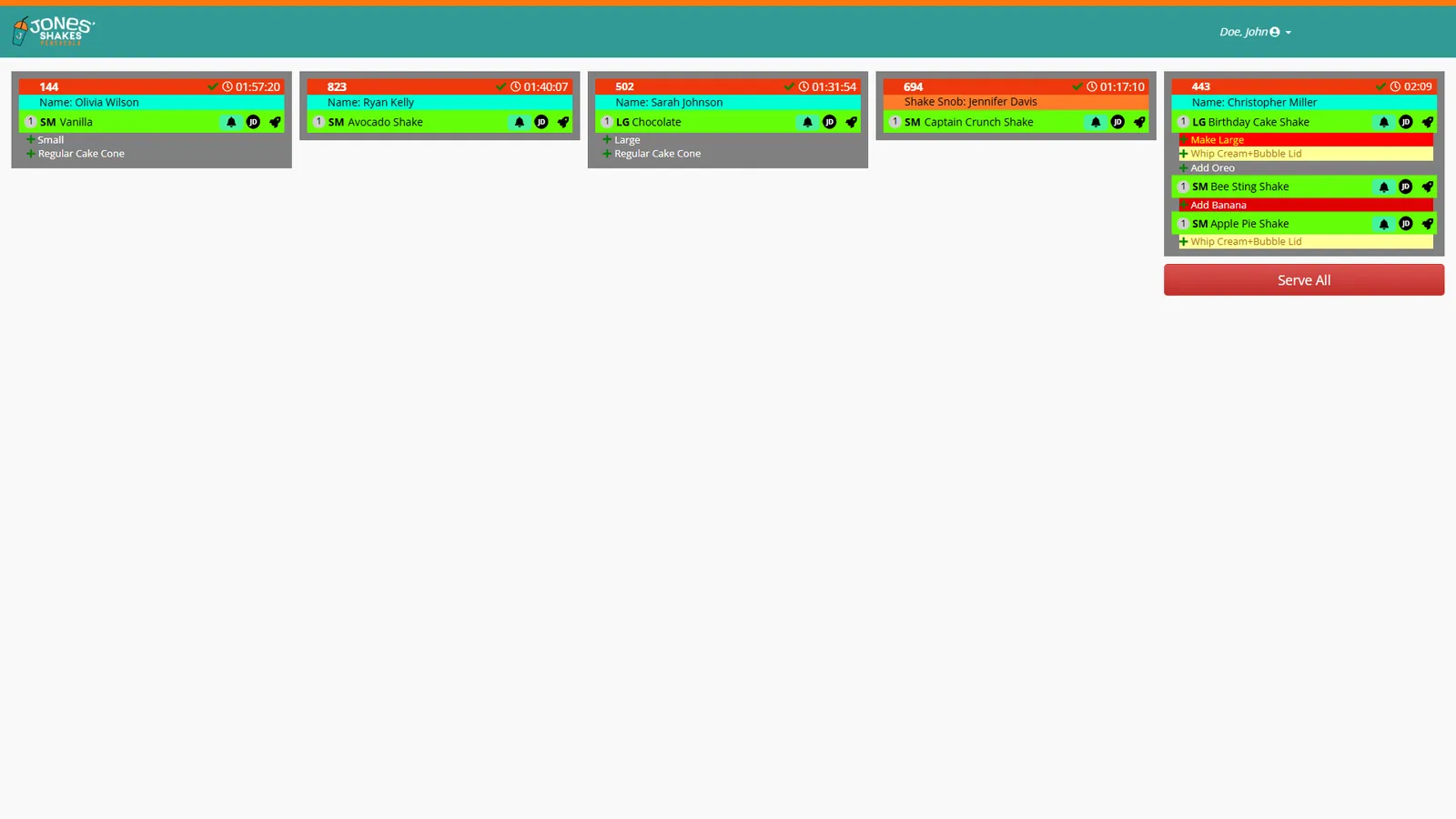 Orders ready to serve
THE PROBLEM
Orders leave the kitchen and disappear. Nobody can tell which tables got their food.
HOW IT WORKS
- ✓Tracks which orders have been served
- ✓Clears orders from the line when delivered
- ✓Gives managers a record of the handoff
WHERE IT EARNS ITS KEEP
Table service
Food to the right table
Runners mark orders as delivered so nothing is left in the window.
Expo
A clean handoff
Expo sees exactly what is waiting to go out.
Busy nights
No double runs
Staff know at a glance what has already gone out.
PAIRS WELL WITH
Front of house$20/mo
DJ (Audio)
Music that pauses to call orders.
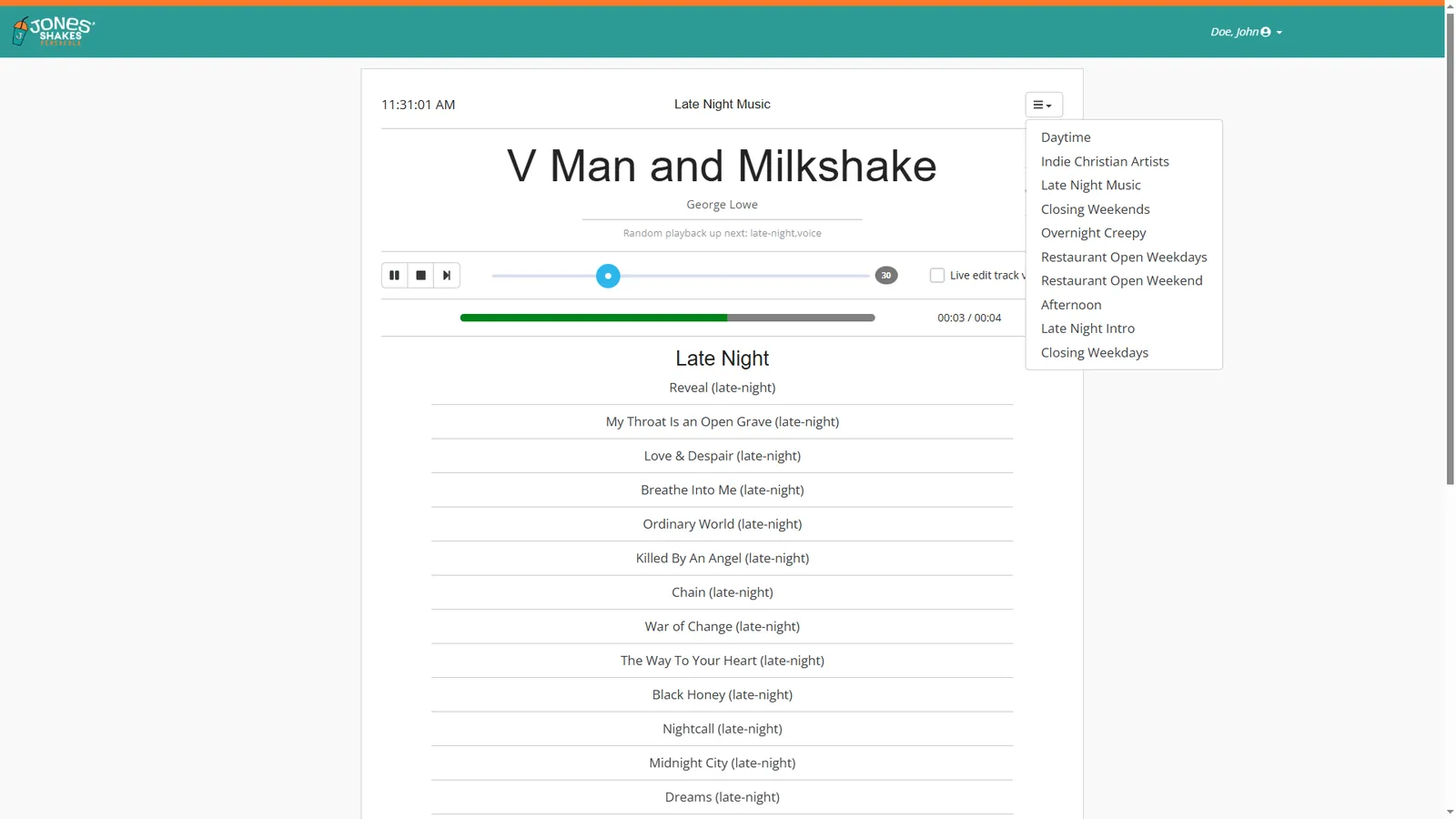 Playlists by daypart
THE PROBLEM
Staff shout order numbers over the music, and guests miss them anyway.
HOW IT WORKS
- ✓Build playlists for your space
- ✓Music pauses for order-ready announcements
- ✓Announcements come from the POS automatically
WHERE IT EARNS ITS KEEP
Counter service
Call orders without shouting
When an order is ready, the music drops and the order is announced.
Breweries & wineries
Atmosphere and pickup
Keep the mood and still let guests know their food is ready.
Large dining rooms
Reach the whole room
Announcements play through the same speakers as the music.
PAIRS WELL WITH
Front of house$5/mo
Wait List
Text guests when their table is ready.
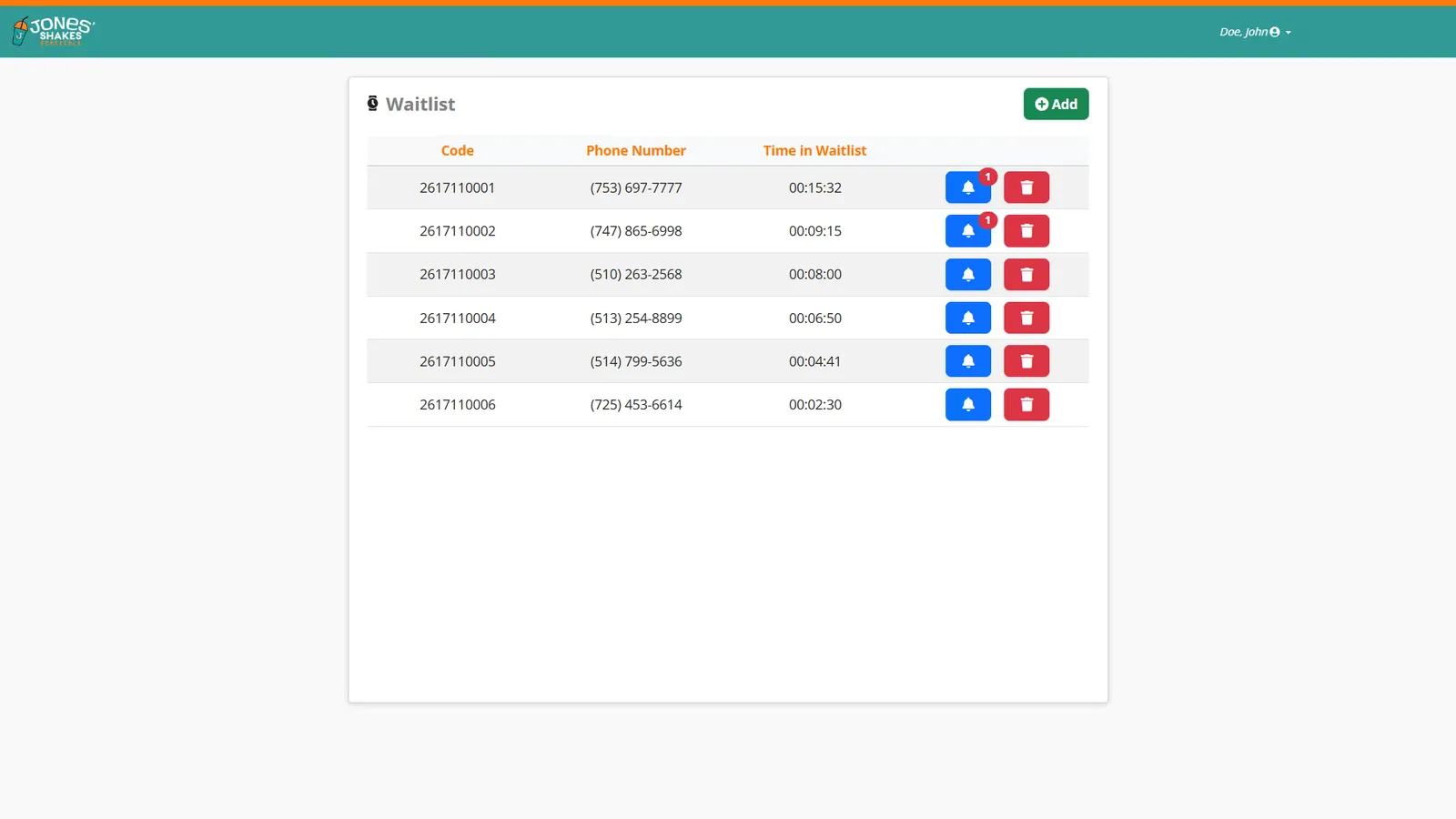 Current wait list
THE PROBLEM
A crowded lobby and a host stand buried in names. Guests leave rather than wait without knowing how long.
HOW IT WORKS
- ✓Runs on its own tablet at the host stand
- ✓Add guests to the list as they arrive
- ✓Text alerts when the table is ready
- ✓Guests can wait wherever they like
WHERE IT EARNS ITS KEEP
Full-service
Clear the lobby
Guests wait at the bar or in the car until their text arrives.
Wineries
Tasting room overflow
Let guests explore while they wait for a table.
Weekends
Fewer walk-aways
Guests who know they will be texted are more likely to stay.
PAIRS WELL WITH
Customer-facing$20/mo
Order Kiosk
Let customers order themselves.
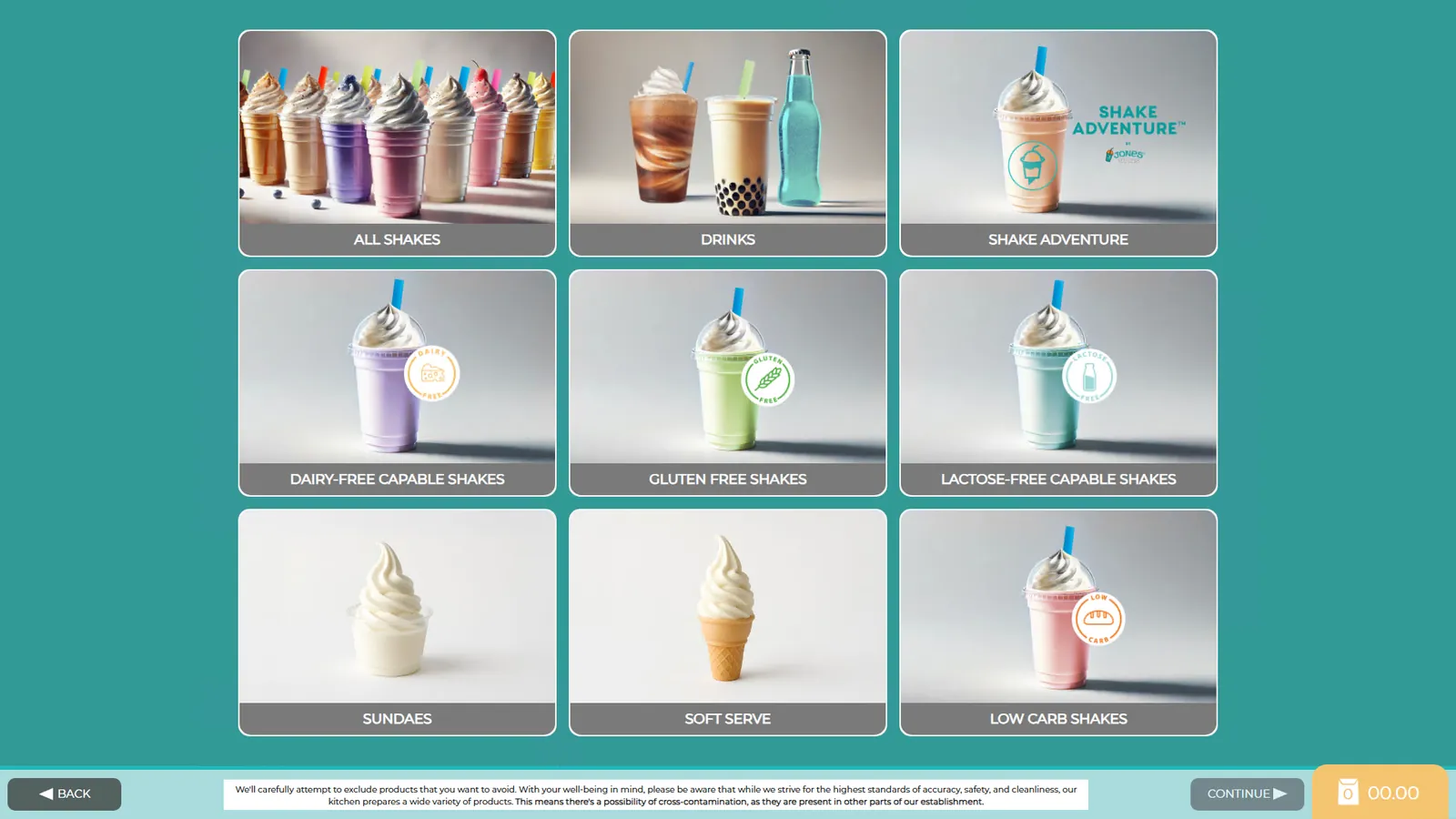 Category menu
THE PROBLEM
You can’t hire enough people to run every register at peak, and the line shows it.
HOW IT WORKS
- ✓Self-ordering on a tablet or touchscreen
- ✓Same live menu and prices as the POS
- ✓Suggests add-ons on every order
- ✓Orders go straight to the kitchen
WHERE IT EARNS ITS KEEP
Lobby
Open more registers without more staff
Guests order at a kiosk while the counter handles the rest.
Tableside
Order from the table
A tablet on the table lets guests order and add more without waiting.
Fast casual
Build-your-own, done right
Guests choose every option themselves, so orders match what they want.
PAIRS WELL WITH
Customer-facing$5/mo · $3/mo each additional
Confirmation Screen
The customer checks the order before it is sent.
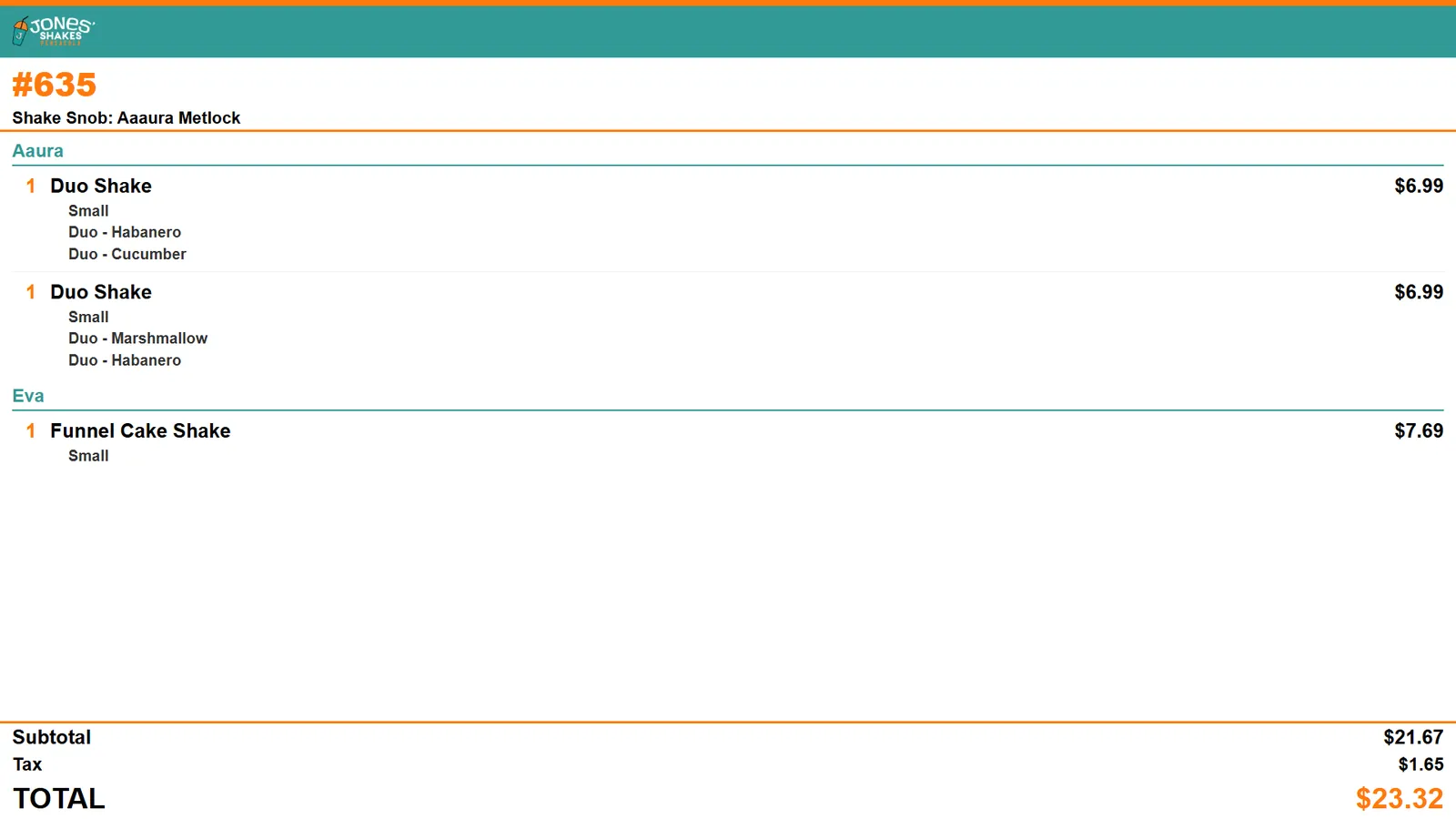 Order shown live as items are added
THE PROBLEM
Wrong orders are remade for free and still leave the guest unhappy. Most mistakes start at the register.
HOW IT WORKS
- ✓Shows the order to the customer as it is entered
- ✓Customer confirms before it goes to the kitchen
- ✓Shows loyalty info and add-on offers
WHERE IT EARNS ITS KEEP
Counter service
Catch mistakes at the register
The guest sees “no onions” on the screen before it is sent.
Loyalty
Rewards in view
Customers see their points and offers while they order.
Upsell
One more item
Offer an add-on while the customer is looking at their order.
PAIRS WELL WITH
Customer-facing$10/mo · landscape
Order Status
Customers watch their order move from kitchen to counter.
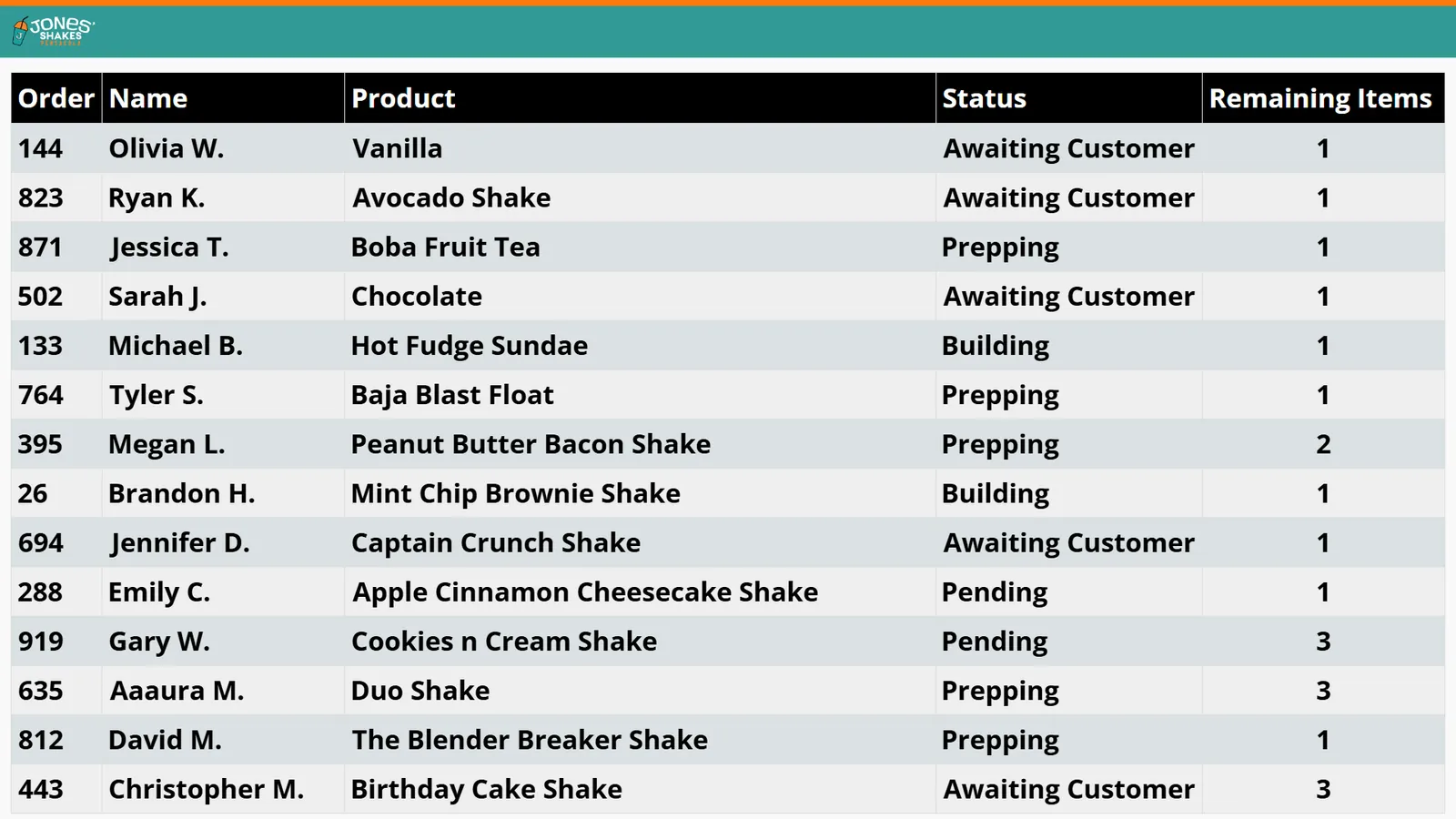 Live order status board
THE PROBLEM
“Is mine ready yet?” interrupts staff all day, and a crowd at the counter slows everyone down.
HOW IT WORKS
- ✓Shows active orders on a customer-facing screen
- ✓Updates as each order is made
- ✓Calls out orders when they are ready
WHERE IT EARNS ITS KEEP
Pickup counters
Fewer interruptions
Guests check the board instead of asking the staff.
Online orders
Pickup without the wait
Customers see when their online order is ready to grab.
Busy lobbies
A calmer room
People wait where they can see the board, not at the counter.
PAIRS WELL WITH
Customer-facing$12/mo
Order Tracker
Every item moving across the board, from not started to ready.
SCREENSHOT COMING SOON
THE PROBLEM
An order status list tells guests their order is in progress, but not how close it is. Staff can’t see which items are holding an order up.
HOW IT WORKS
- ✓Kanban-style board in portrait orientation
- ✓Each item moves through lanes: not started, started, ready to serve
- ✓Updates live as the kitchen works
WHERE IT EARNS ITS KEEP
Pickup counters
See exactly where it is
Guests watch each part of their order move toward ready.
Multi-item orders
Spot the holdup
Staff see which item is still in progress on a large order.
Busy kitchens
A board the whole line can read
Everyone sees what is not started, what is started, and what is ready.
PAIRS WELL WITH
Customer-facing$12/mo · $8/mo each additional
Digital Menu
Menu boards that update with the POS.
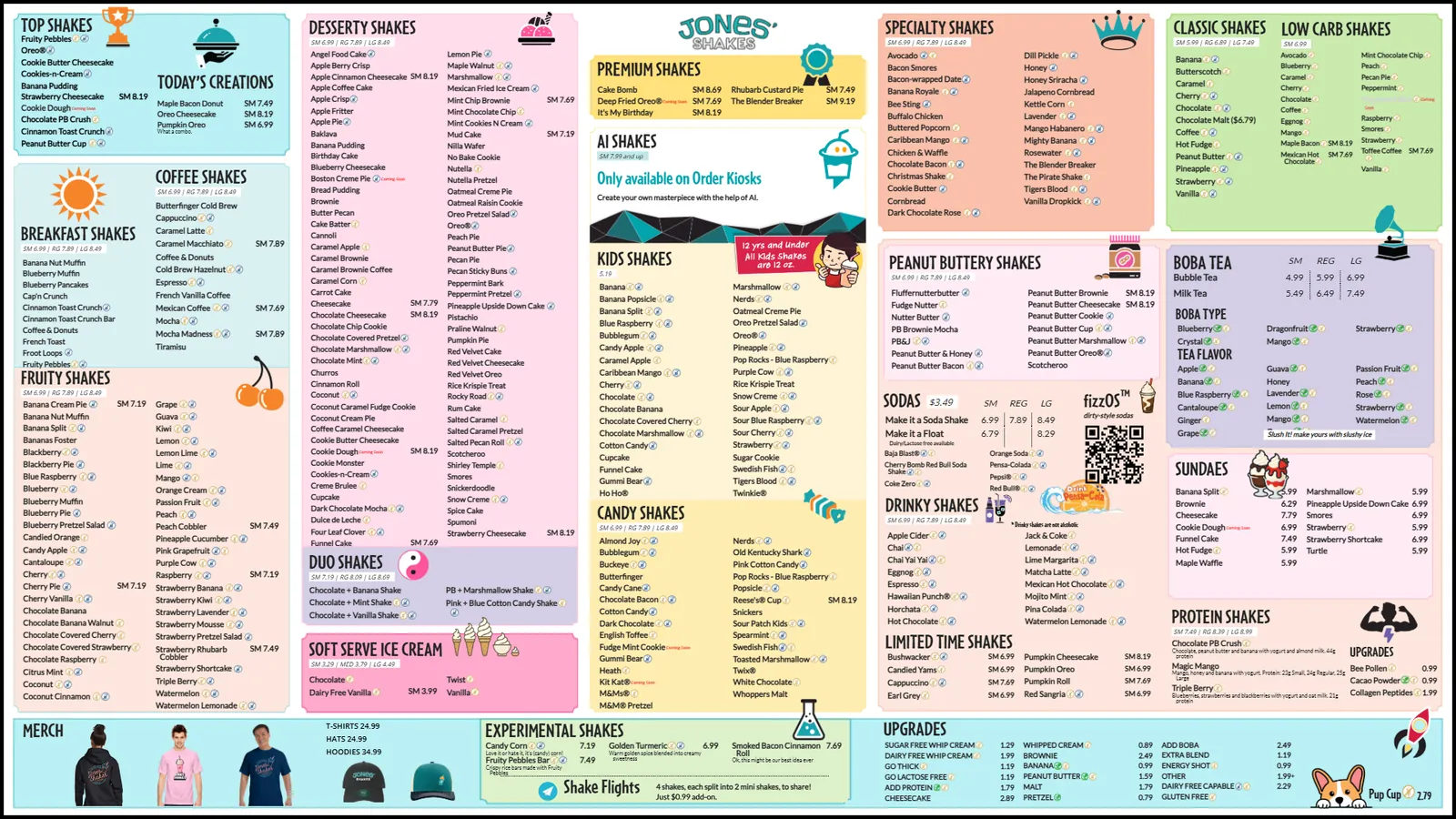 Full menu wall, day theme
THE PROBLEM
Printed boards are wrong the day prices change, and customers order items you ran out of an hour ago.
HOW IT WORKS
- ✓Design your menu screens
- ✓Linked directly to the POS menu and prices
- ✓Out-of-stock items come off the board automatically
WHERE IT EARNS ITS KEEP
Price changes
Change it once
Update a price in the POS and every board shows it.
Breweries
Rotating taps
Keep the board current as kegs change.
Sell-outs
No more “sorry, we’re out”
When inventory runs out, the item comes off the board.
PAIRS WELL WITH
Customer-facing$8/mo
Menu Explorer
Let customers browse the menu in detail.
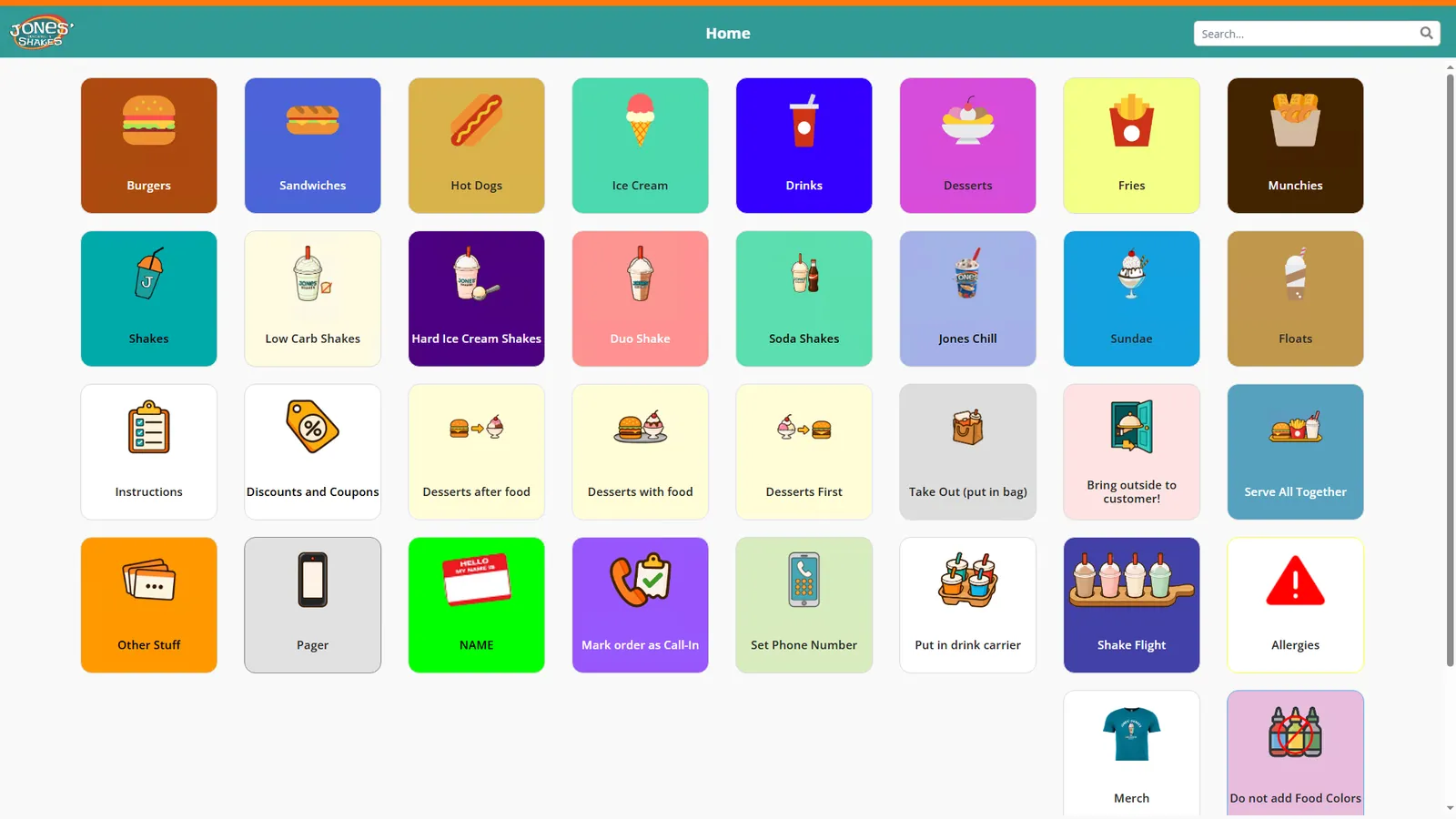 Browse by category
THE PROBLEM
A wall menu can’t answer every question, so guests hold up the line asking.
HOW IT WORKS
- ✓Customers browse menu items and details on a screen
- ✓Uses the live POS menu
- ✓Works on a kiosk, tablet, or screen near the line
WHERE IT EARNS ITS KEEP
In line
Decide before the counter
Guests look through the menu while they wait.
Large menus
More than fits on a board
Show every item and option without crowding the wall.
New items
Feature what’s new
Give new items room to be noticed.
PAIRS WELL WITH
Customer-facing$10/mo
Digital Signage
Promotions and information on any screen.
SCREENSHOT COMING SOON
THE PROBLEM
Specials, events, and hiring notices end up on paper taped to the door.
HOW IT WORKS
- ✓Show promotions and information on any connected screen
- ✓Managed from the same system as your POS
- ✓Change content without a separate signage service
WHERE IT EARNS ITS KEEP
Promotions
Push the special
Feature limited-time items where customers will see them.
Events
Fill the calendar
Advertise trivia night or tastings on screens around the room.
Hiring
Recruit from your lobby
Put a “now hiring” message in front of every customer.
PAIRS WELL WITH
Management$12/mo · $10/mo each additional
Dashboard
Today’s numbers on a screen your team can see.
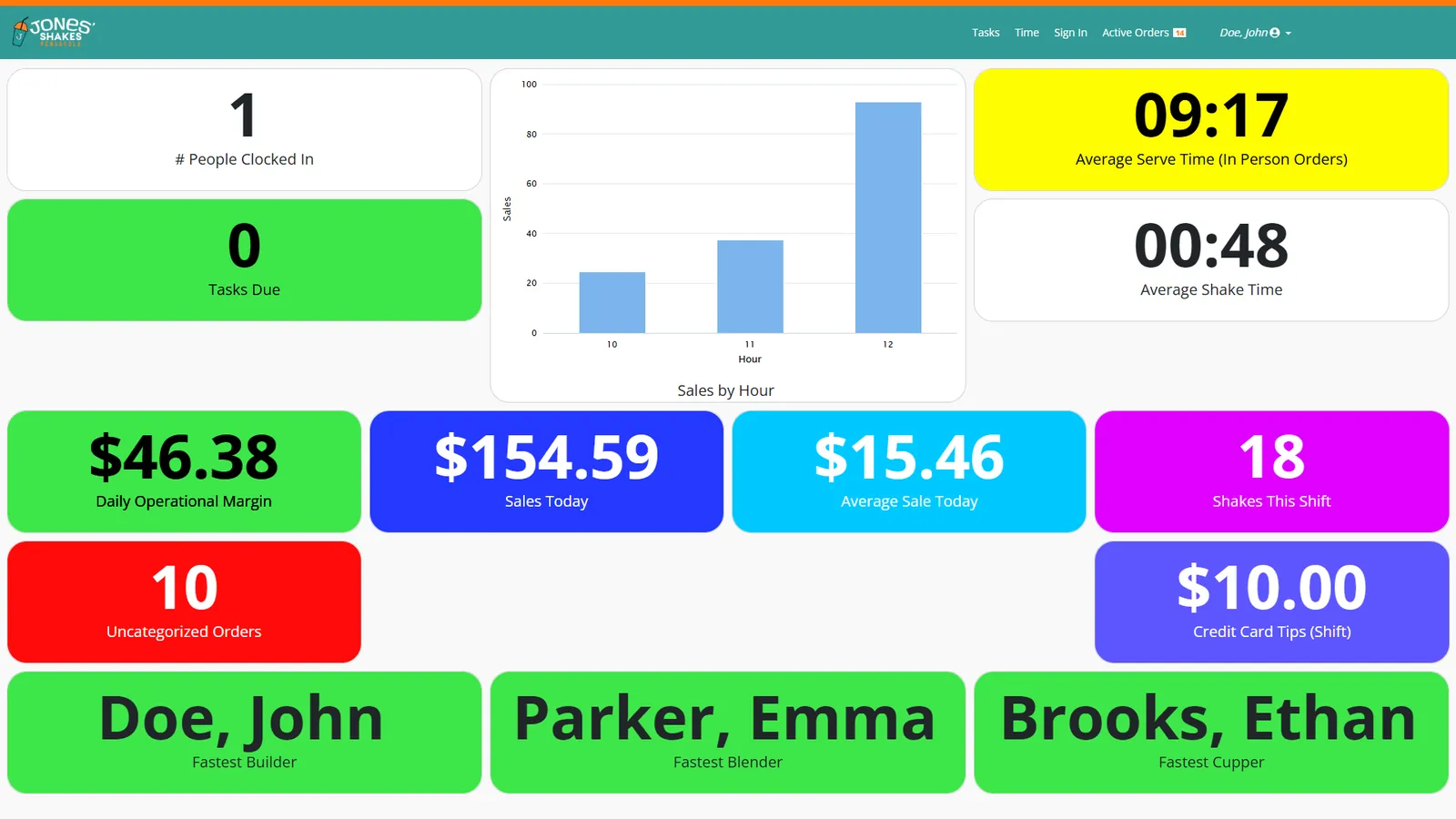 Sales, serve times, margin, and top staff
THE PROBLEM
You find out how the day went after it is over, when it is too late to do anything about it.
HOW IT WORKS
- ✓Design live dashboards with the numbers that matter
- ✓Real-time view of sales and operations
- ✓Put them on a wall screen, in the office, or on a phone
WHERE IT EARNS ITS KEEP
Kitchen wall
Serve time in view
Show the crew the average serve time during the rush.
Office
The day at a glance
Managers see sales and order counts without pulling a report.
Goals
Hit the target together
Put today’s sales goal where the whole team can track it.
PAIRS WELL WITH
Management$5/mo
Time Entry
A dedicated screen for clocking in and out.
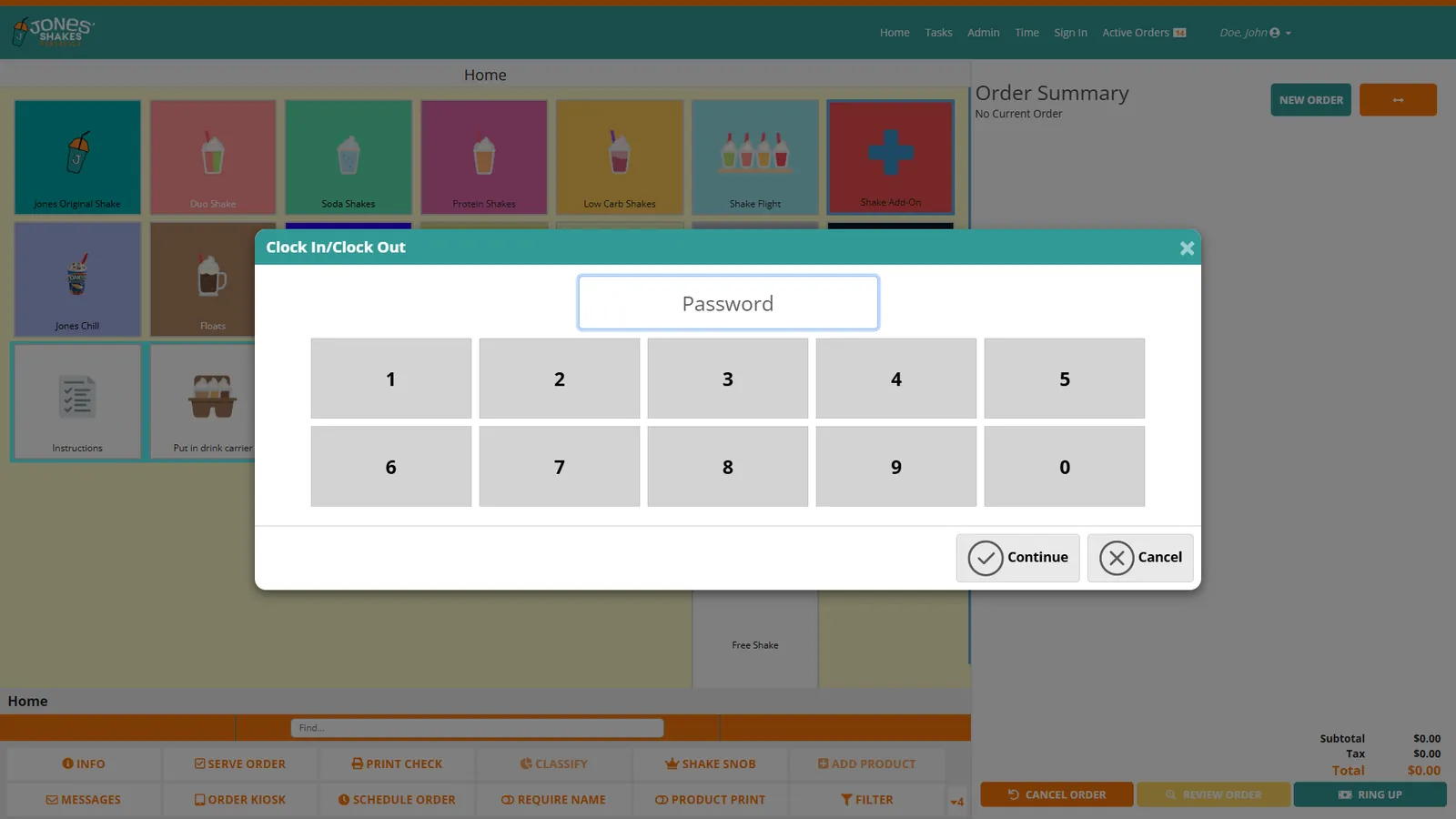 Clock in with a code
THE PROBLEM
Shared registers get tied up with punches, and missed punches turn into payroll headaches.
HOW IT WORKS
- ✓A screen set aside for employees to clock in and out
- ✓Keeps punches off the registers
- ✓Punch records feed your reports
WHERE IT EARNS ITS KEEP
Back of house
Clock in by the door
Staff punch in where they walk in, not at the busy register.
Shift change
No line at the register
The incoming crew clocks in without stopping sales.
With JPOS Team
Or clock in by phone
Pair with the Team app for mobile clock-in.
PAIRS WELL WITH
Management$10/mo
Office (Backoffice)
Menus, staff, settings, and reports in one place.
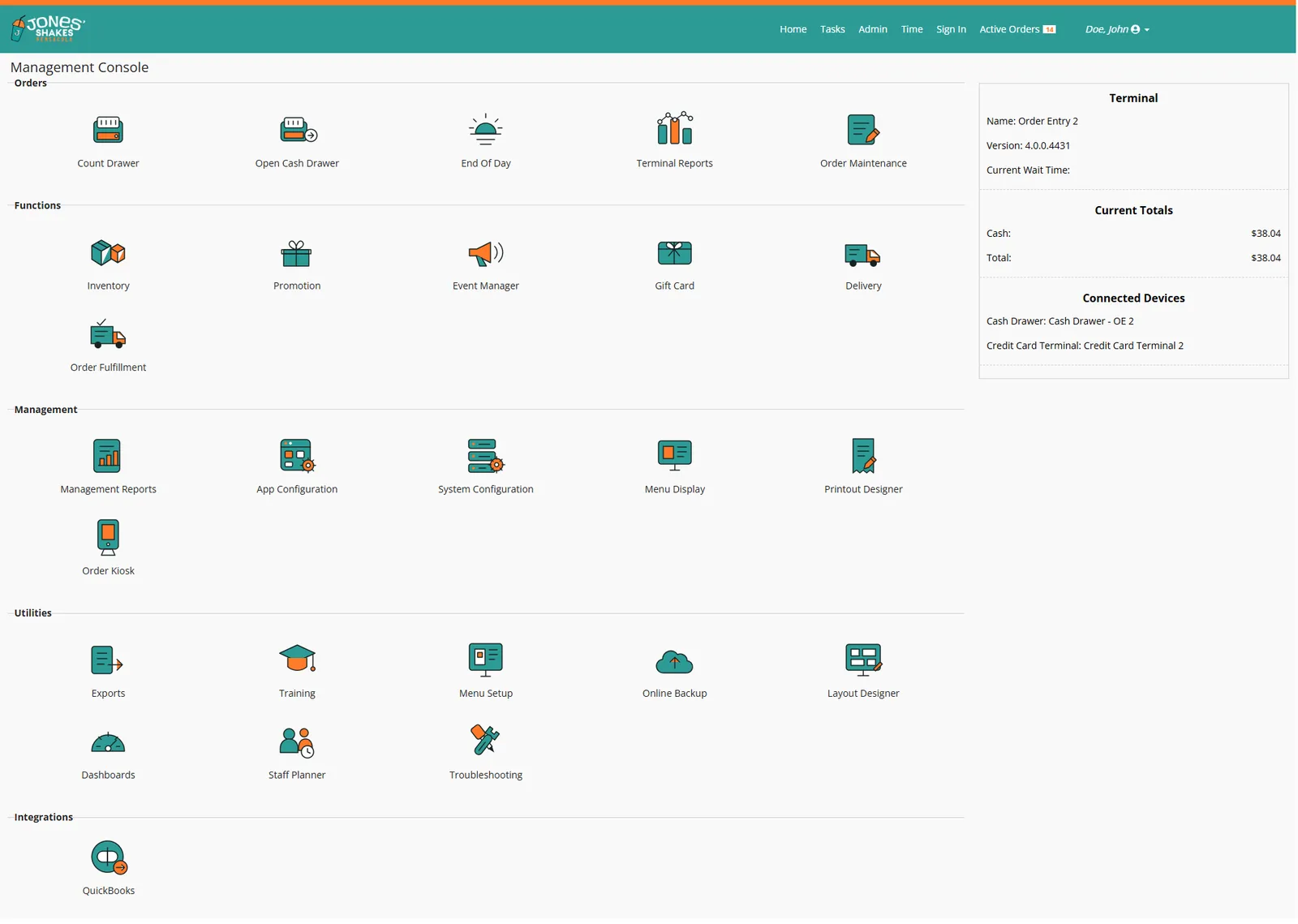 Management console
THE PROBLEM
Changing a price or adding an employee shouldn’t require a call to support.
HOW IT WORKS
- ✓Admin tools and settings for your menu, staff, and locations
- ✓Hundreds of reports, with scheduled email delivery
- ✓Manage multiple locations from one place
WHERE IT EARNS ITS KEEP
Owners
Reports in your inbox
Get the reports you check every week by email automatically.
Menu updates
Change it yourself
Add items, change prices, and update options any time.
Multi-location
One menu, many stores
Manage menus and settings across locations centrally.
PAIRS WELL WITH
Common setups
Starting points our customers build from. Every screen is licensed on its own, so you can add or drop any of them.
COUNTER SERVICE
The fast counter
For ice cream shops, cafés, and quick service. Ring fast, confirm the order, and let customers watch it come up.
Terminals from $27/mo plus your plan
KITCHEN-HEAVY
The busy kitchen
For legions, pizzerias, and high-volume grills. Clear tickets, timed cooking, and recipes at every station.
Terminals from $37/mo plus your plan
SELF-SERVE
The self-serve lobby
For fast casual and lunch rushes. Customers order themselves, see the menu live, and get called when it’s ready.
Terminals from $62/mo plus your plan
See these screens running on your menu.
We’ll set up a demo with the terminals that fit your operation.
Book a live demo